
Account & Access
All UHH members will also have an M365 account with their user ID.
Login credentials are user_id"AT"uni-hamburg.de (like bax1234"AT"uni-hamburg.de).
-> FAQ on the login change 2025
Login with user ID - since 2025
Login name
- Microsoft login dialog:
userID@uni-hamburg.de (e.g., in the form bax1234@uni-hamburg.de)
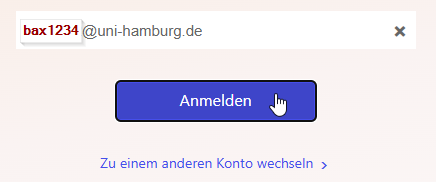
Please note: Students also register with @uni-hamburg.de without “studium.”.
- UHH-Login:
user ID (e.g. bax1234) and password
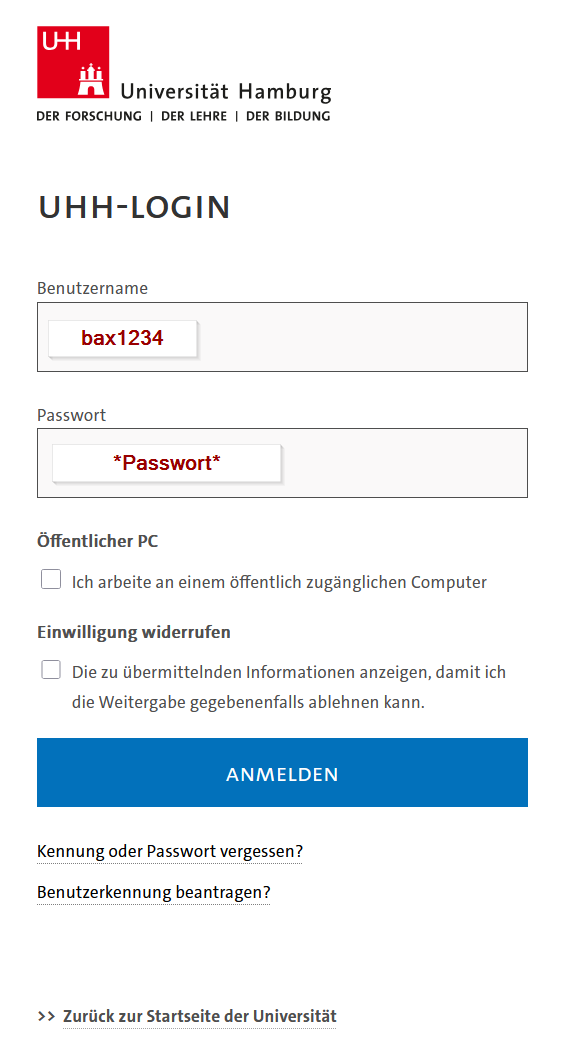
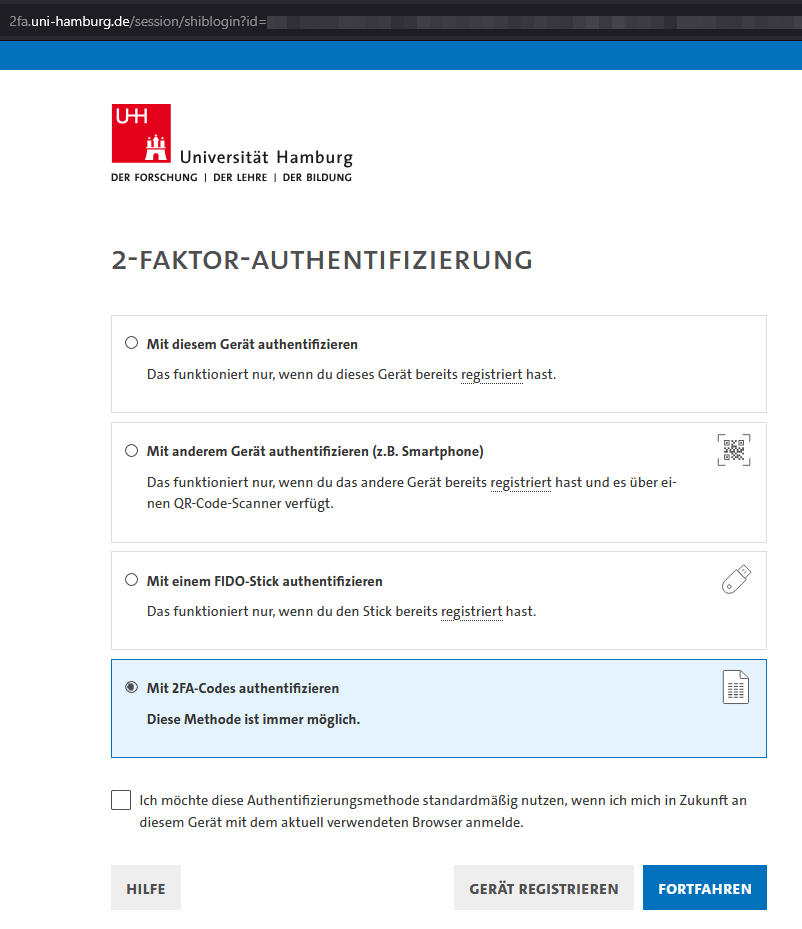
- and 2-FactorAuthentification - choose an option, that suits you.
FAQ - M365 account at UHH
What can you do with it?
With this type of account, you can use the Office Suite and MS Teams for collaboration.
We have created an overview of the scope of services for you.
How can I change my profile data?
The data used comes from the sources and should be changed there.
Students
For students, their name from STiNE and the email address created are used.
- Name,
possible display names can be selected in the user management portal https://account.uni-hamburg.de.
Employees
For employees, information from user management and global account data (e.g., Exchange address book) is used.
If you are an employee and would like to change your data:
- Name,
possible display names can be selected in the user management portal https://account.uni-hamburg.de. - Further information,
You can adjust these in the RRZ-Service-Portal by booking: Modify account attributes (e.g., for Exchange address book) in the RRZ Service Portal. (Please note that you must be connected to the UHH WLAN/LAN or VPN.)
General name changes
For general name changes (or missing titles), please contact:
- Students: STiNE - Campus Management
- Employees: Human Resources Department
- Lecturers: Teaching Assignment Management
- Doctoral candidates: Campus Management, Team 321 docata.uhh"AT"uni-hamburg.de
- External parties via AP application: rrz-serviceline"AT"uni-hamburg.de
How can I change my profile picture?
Currently, the profile picture cannot be changed.
We are working on expanding the service.